

Sessions and approvals
A session is one conversation with an agent (Claude Code or Codex) in one folder of one computer: the same thing as running claude or codex in that folder, driven from CodeRail.
Start a session
Open a computer, choose New session, pick the agent and the folder, and send your first message. The agent works on that computer, with that computer's login, settings and tools.
In the composer you can attach images and change, for the session:
- the mode, such as asking before edits, accepting edits, or planning only (each agent has its own);
- the model, and the effort where the agent offers it.
What you see
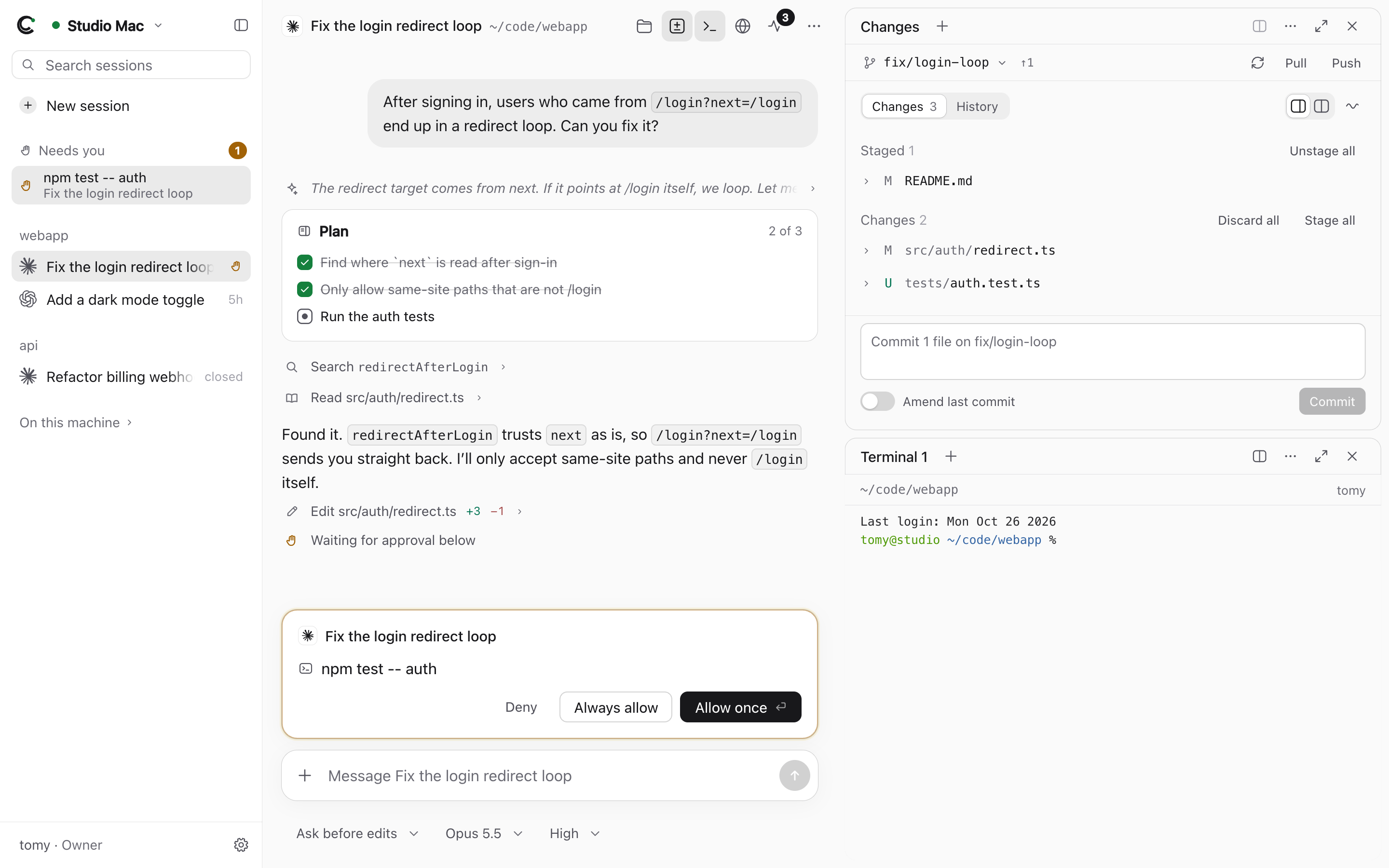
Replies stream in as the agent writes. Its thinking, plans (with their progress), and each tool call (searches, file reads, edits with their diff, commands) show inline; open one to see its details.
Approvals
When the agent asks for permission (to run a command, edit a file, or anything its mode doesn't allow on its own), the request appears above the composer, and the computer is listed under Needs you:
- Allow once, or Always allow (as the agent defines it), or Deny.
Anyone with the Operator role on that computer can answer. If push notifications are on, the request also comes to your phone (see On your phone).
Sessions keep running
Closing the browser doesn't stop anything. The agent keeps working on the computer, and the server keeps the session's history, so when you come back, from any device, you see everything that happened. You can read the history even while the computer is offline.
Sessions are grouped by folder in the sidebar. Stop ends the agent's current turn.
Sessions started on the computer
Sessions you started in a terminal on the computer itself (outside CodeRail) are listed under On this machine. Open one to continue it in CodeRail. (One that's still running in a terminal can't be watched live; CodeRail picks it up from the agent's own saved history.)
Remove from list… takes a session out of CodeRail's list and deletes CodeRail's copy of its history; the agent keeps its own.